
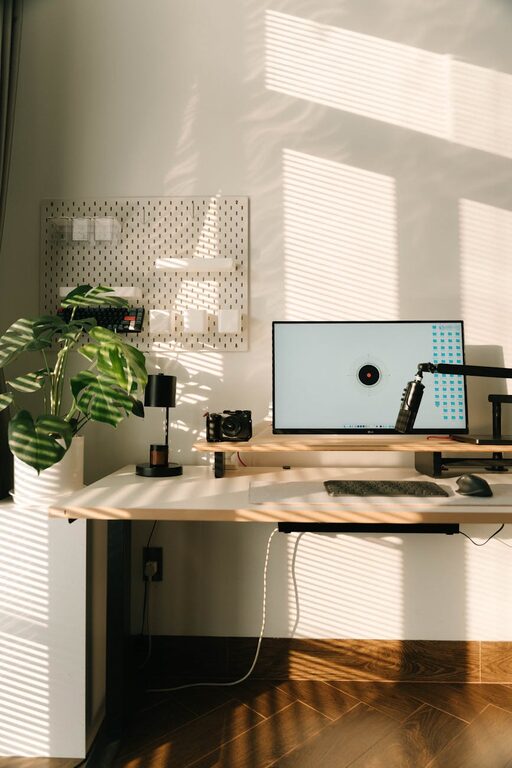
Creating a relaxing home workspace is essential for maintaining productivity and well-being when working remotely or spending long hours on projects. A thoughtful environment can reduce stress, boost focus, and inspire creativity. Whether you have a dedicated room or a small corner, these tips will help you transform your space into a calm, inviting area where work feels less like a chore.
Choose the Right Location
Consider Natural Light
Natural light can greatly influence your mood and energy. Position your desk near a window if possible to take advantage of daylight. It helps regulate your body clock and reduces eye strain.
Minimize Distractions
Select a quiet area away from high-traffic zones. If noise is a challenge, consider adding soundproofing materials or using noise-cancelling headphones.
Invest in Comfortable Furniture
Supportive Seating
Choose an ergonomic chair that provides good lumbar support. Comfort prevents back pain and helps you stay focused longer.
Desk Size and Height
Ensure your desk is at a comfortable height for typing and writing. A clutter-free surface with enough space to organize supplies can improve efficiency.
Organize with Purpose
Declutter Regularly
Keep your workspace tidy by organizing papers, books, and tools. Use storage solutions like shelves, drawers, or boxes to keep everything in place.
Use Cable Management
Tidy cables with clips or sleeves to avoid a messy look. A clean setup is soothing to the eyes and reduces distractions.
Incorporate Soothing Colors and Decor
Select Calming Colors
Soft blues, greens, or neutrals create a peaceful atmosphere. Avoid overly bright or harsh colors that can be tiring during long work sessions.
Add Personal Touches
Plants, artwork, or meaningful objects can make the space inviting. Greenery, in particular, adds life and can improve air quality.
Optimize Lighting
Layered Lighting
Use a mix of ambient, task, and accent lighting. A desk lamp for focused work, complemented by softer overhead or side lights, creates balance.
Avoid Glare
Position screens and lamps to reduce glare, which can cause headaches and eye strain.
Maintain Good Air Quality and Comfort
Ventilation is Key
Fresh air helps keep you alert. Open windows when possible or use an air purifier.
Control Temperature
Keep your workspace at a comfortable temperature. Use fans, heaters, or humidifiers as needed to ensure a pleasant environment.
Set Boundaries and Routines
Define Work Hours
Having clear start and end times helps avoid burnout. Use alarms or reminders to stick to your schedule.
Take Breaks
Incorporate regular breaks to stretch or relax. This practice improves focus and reduces fatigue.
Use Technology Wisely
Choose the Right Equipment
Invest in reliable hardware like keyboards and monitors that suit your needs.
Minimize Digital Clutter
Organize files and desktop icons for quick access and less stress.
—
Creating a relaxing home workspace doesn’t require a big budget or space. Small, intentional changes can significantly enhance your comfort and productivity. By setting up a space that feels good and functions well, you nurture your ability to work efficiently and enjoy the process more. Take your time to personalize and adjust your environment—you might find that a peaceful workspace makes all the difference in your work-from-home routine.